
How to Fulfill Orders on Shopify Dropshipping
Learn how to fulfill orders on Shopify dropshipping using DSers. This guide covers the complete fulfillment flow, three fulfillment methods, DSers order status tabs, bulk order processing, and what to do when an order fails.
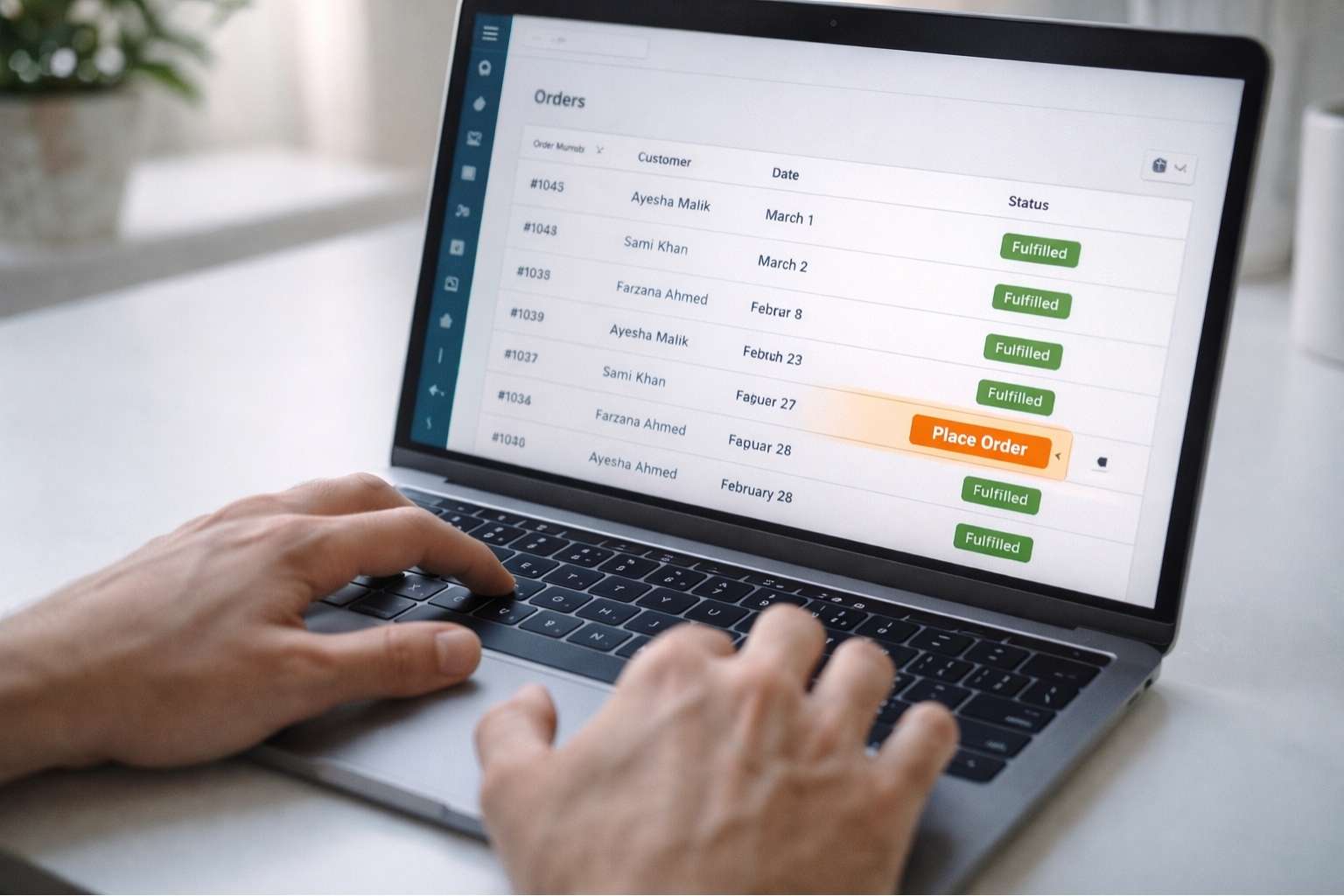
Shopify Development Services handles this question for new store owners regularly: what happens after a customer places an order? Who ships the product? How does tracking reach the buyer?
This guide explains how to fulfill orders on Shopify dropshipping using DSers the step-by-step process, the three fulfillment methods available, and what to do when something goes wrong. To get to this point, you need to have DSers installed and connect AliExpress to your Shopify store before any orders can be fulfilled.
How Dropshipping Order Fulfillment Works
In a regular ecommerce store, you pack and ship orders yourself. In dropshipping, your supplier does it. Your job is to pass the order information to the right supplier at the right time.
Here is the complete flow from customer order to delivered package:
- Customer places an order on your Shopify store and pays.
- The order appears in DSers under Open Orders, Awaiting Order tab.
- You place the order with your AliExpress supplier through DSers.
- You pay the supplier’s cost on AliExpress. DSers sends the order details automatically.
- The supplier packs and ships directly to your customer.
- The supplier uploads a tracking number. DSers pulls it into Shopify.
- Your customer receives a tracking notification from your store.
- The order moves to Fulfilled status in both DSers and Shopify.
The entire process from steps 3 to 8 takes about 30 seconds per order using DSers bulk tools.
The 3 Fulfillment Methods on Shopify Dropshipping
DSers gives you three ways to fulfill orders. Each suits a different situation:
Method | How It Works | When to Use It |
|---|---|---|
Automatic Fulfillment | DSers places and tracks the order without any manual steps after payment | High order volume. Trusted suppliers. Orders you want processed immediately. |
Manual Fulfillment | You review each order in DSers before placing it with the supplier | New store. Verifying orders. Products with variants that need double-checking. |
Partial Fulfillment | Fulfill some items in an order now, leave others pending | Multi-product orders where one item is out of stock at the supplier. |
Most store owners start with manual fulfillment to understand the process, then switch to automatic once they are comfortable with their suppliers.
Order Status in DSers: What Each Tab Means
When you open DSers and go to Orders, you will see several tabs. Understanding each one saves time and prevents missed orders:
DSers Tab | What It Means |
|---|---|
Awaiting Order | Customer paid. Order synced to DSers. Waiting for you to place with supplier. |
Awaiting Payment | Order placed with supplier on AliExpress. Waiting for your payment. |
Awaiting Shipment | You paid the supplier. Waiting for supplier to ship and upload tracking. |
Awaiting Fulfillment | Supplier shipped. Tracking number received. DSers updating Shopify. |
Fulfilled | Tracking synced to Shopify. Customer notified. Order complete. |
Cancelled | Order cancelled on Shopify or AliExpress. No further action needed. |
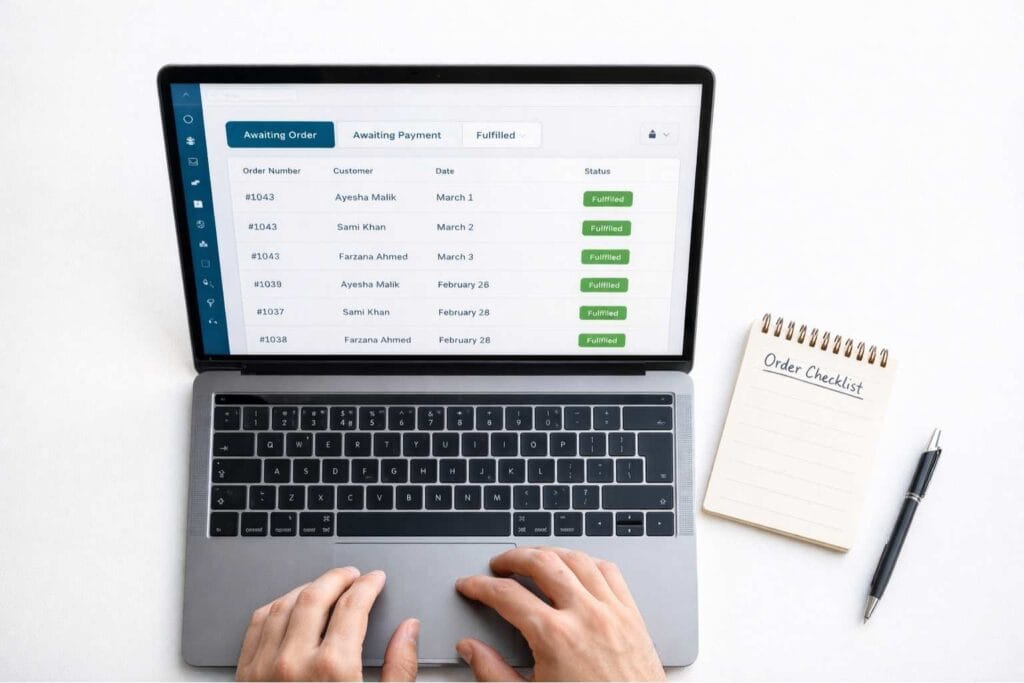
Full details on each status are available in the DSers order fulfillment help center. Most orders move from Awaiting Order to Fulfilled within 2 to 5 business days depending on your supplier.
Want your Shopify dropshipping store built and configured correctly from day one? Shopify Development Services handles your full store setup – DSers, supplier mapping, payment gateways, and fulfillment configuration. Message us on WhatsApp: +92 332 2790455 – free quote within 2 hours.
Step-by-Step: How to Fulfill a Single Order
Follow these steps each time a new order arrives:
- Go to DSers and click Open Orders in the left menu.
- Click the Awaiting Order tab. All unpaid, unfulfilled orders appear here.
- Find the order. Check the product, variant, quantity, and customer address.
- Click Order to Place. This sends the order to your AliExpress supplier.
- A new browser tab opens on AliExpress showing the pre-filled order. Review it and click Buy Now.
- Complete payment on AliExpress using your payment method.
- Return to DSers. The order moves to Awaiting Shipment automatically.
- When the supplier ships, the order moves to Awaiting Fulfillment, then Fulfilled. Tracking syncs to Shopify without any further action from you.
Do not edit or cancel the order in Shopify once it appears in DSers. Making changes in Shopify after DSers syncs can cause order status conflicts that are difficult to fix.
Bulk Order Fulfillment: Processing Multiple Orders at Once
If you receive 10 or 20 orders in a day, placing them one by one wastes time. DSers bulk order feature handles all of them in one click.
Go to Open Orders, then Awaiting Order. Select all orders you want to process by checking the boxes on the left. Click Order to Place. DSers sends all selected orders to AliExpress at once.
You then pay for all of them in one checkout session on AliExpress. DSers tracks each one separately and syncs individual tracking numbers back to Shopify as suppliers ship.
This is one of the most valuable features DSers offers over manual dropshipping. Placing 50 orders manually on AliExpress one by one would take hours. With bulk ordering it takes under 5 minutes.
How to Set Up Automatic Fulfillment in DSers
If you want orders to process without any manual steps on your end, you can configure automatic fulfillment inside DSers settings.
Go to DSers, then Settings, then Fulfillment Settings. Under Fulfill Items, switch from manual to automatic. You can choose to fulfill items in bulk (default) or separately per line item.
With automatic fulfillment enabled, DSers places orders with your supplier and marks them fulfilled in Shopify as soon as tracking is confirmed. You only need to handle exceptions failed payments, address issues, or out-of-stock items.
Automatic fulfillment works best once you have tested your supplier for 30 to 50 orders manually and confirmed they ship reliably and on time.
What to Do When an Order Fails
- Supplier out of stock. Go to DSers, find the product, and use Supplier Optimizer to find an alternative supplier. Remap the product and re-place the order.
- Wrong variant sent. Contact the supplier directly on AliExpress through the order message. Request a replacement or refund, then arrange a new shipment for the customer.
- Tracking not updating. Check the Awaiting Fulfillment tab in DSers. If tracking is stuck for more than 7 days, go to AliExpress and check the order status directly with the supplier.
- Order missing from DSers. Go to DSers Settings, then Synchronization, and manually trigger a sync with Shopify. New orders sometimes take up to 30 minutes to appear.
- Payment failed on AliExpress. Check your AliExpress payment method. Some suppliers require a specific payment option. Update your payment method and re-place the order.
Frequently Asked Questions
How to fulfill orders on Shopify dropshipping?
Open DSers and go to Open Orders, then Awaiting Order. Find the customer order, click Order to Place, and complete payment on AliExpress. DSers sends the order to your supplier and syncs the tracking number back to Shopify automatically once the supplier ships.
Can Shopify automatically fulfill dropshipping orders?
Yes. DSers has an automatic fulfillment setting under Settings, then Fulfillment Settings. When enabled, DSers places orders with your AliExpress supplier and marks them as fulfilled in Shopify once tracking is confirmed. You only need to handle exceptions like failed payments or out-of-stock items.
How long does dropshipping fulfillment take on Shopify?
The time from order placement to delivery depends on your supplier and shipping method. AliExpress Standard Shipping to the US takes 15 to 30 days. ePacket delivers in 7 to 20 days where available. For Pakistan and the Middle East, check your supplier’s available shipping options before importing the product.
What is the difference between Awaiting Order and Awaiting Shipment in DSers?
Awaiting Order means the customer paid but you have not yet placed the order with your AliExpress supplier. Awaiting Shipment means you placed and paid for the order with the supplier, and the order is now waiting for the supplier to pack and ship it.
How do I process multiple orders at once in DSers?
In DSers, go to Open Orders, then Awaiting Order. Check the boxes next to all orders you want to process and click Order to Place. DSers sends all selected orders to AliExpress in one batch. You complete payment in a single AliExpress checkout session. Each order is tracked and synced to Shopify separately.